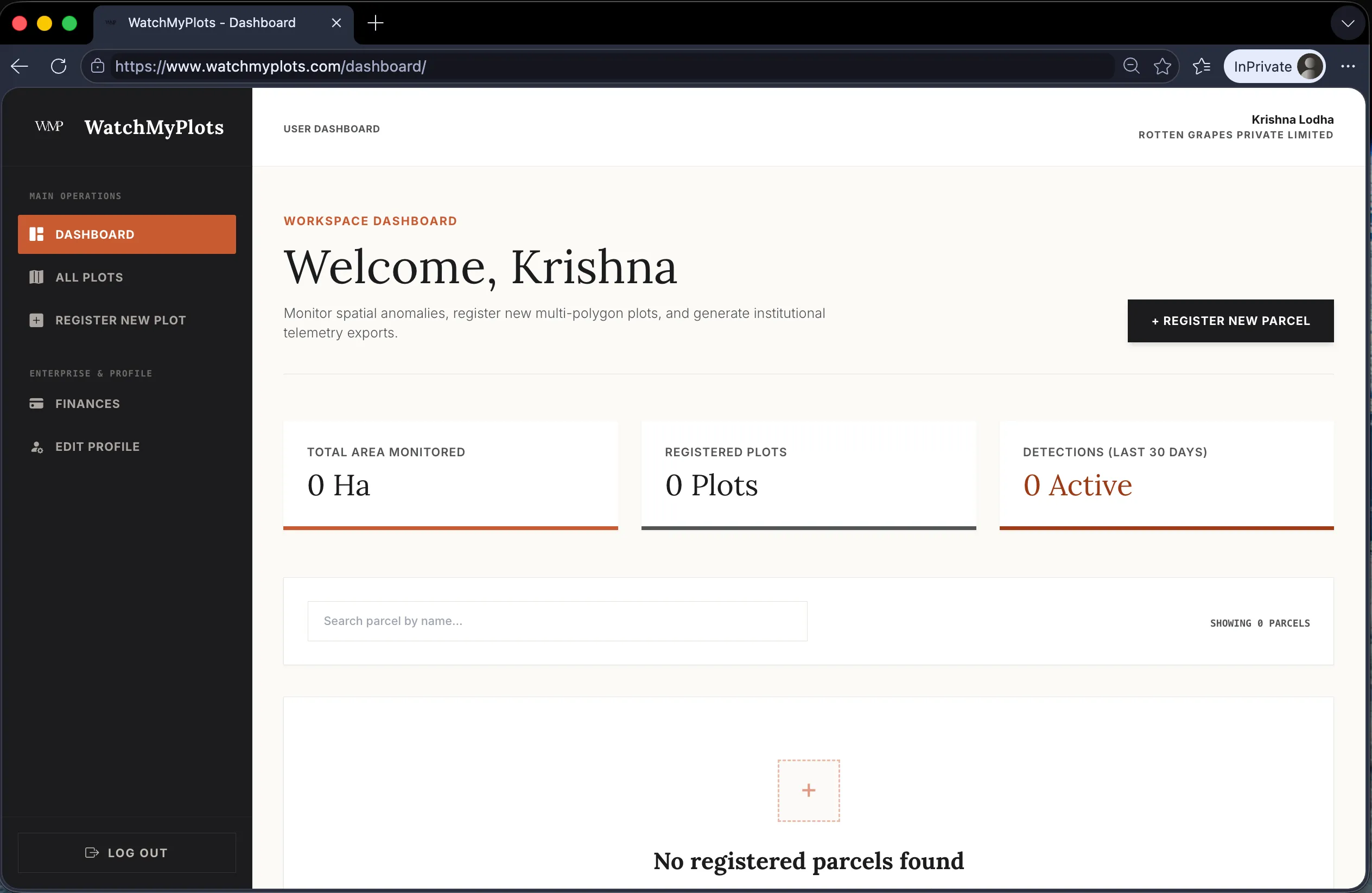
Sign Up & Profile Configuration
Learn how to create your workspace and configure billing and identity options.
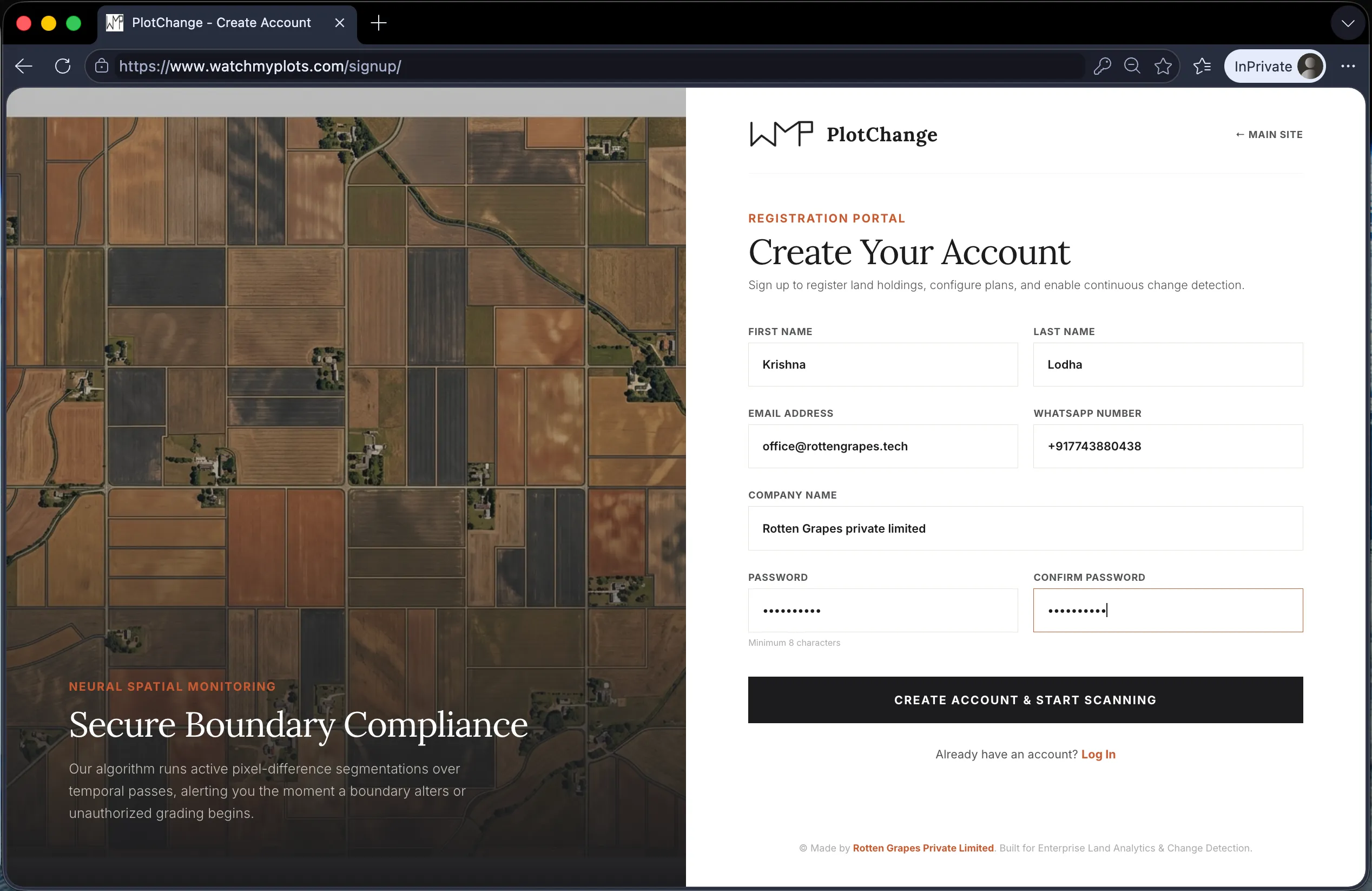
Create Your Account
Navigate to the Sign Up page. Fill out your registration details including first name, last name, phone number, secure password, and active business email address.
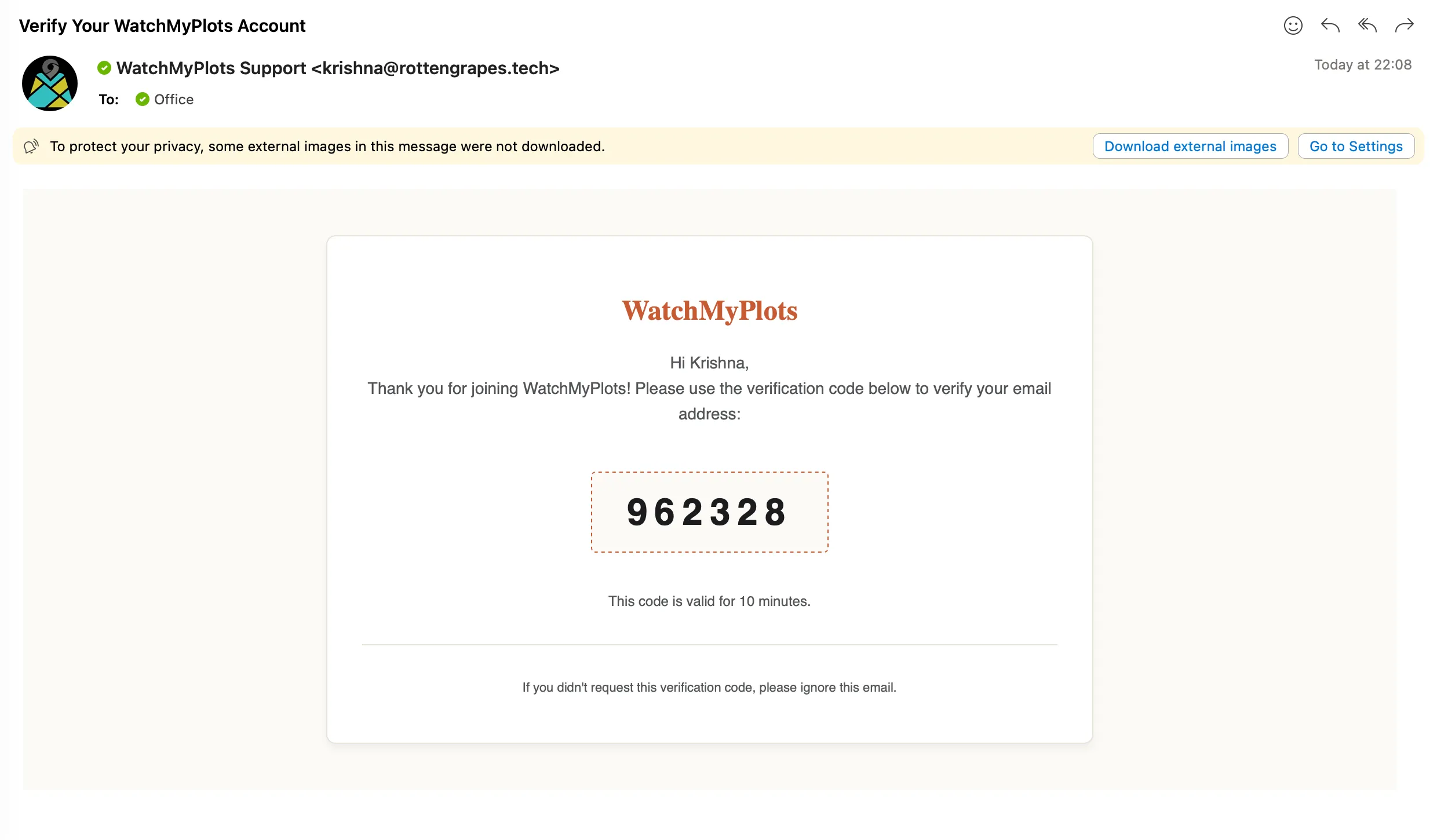
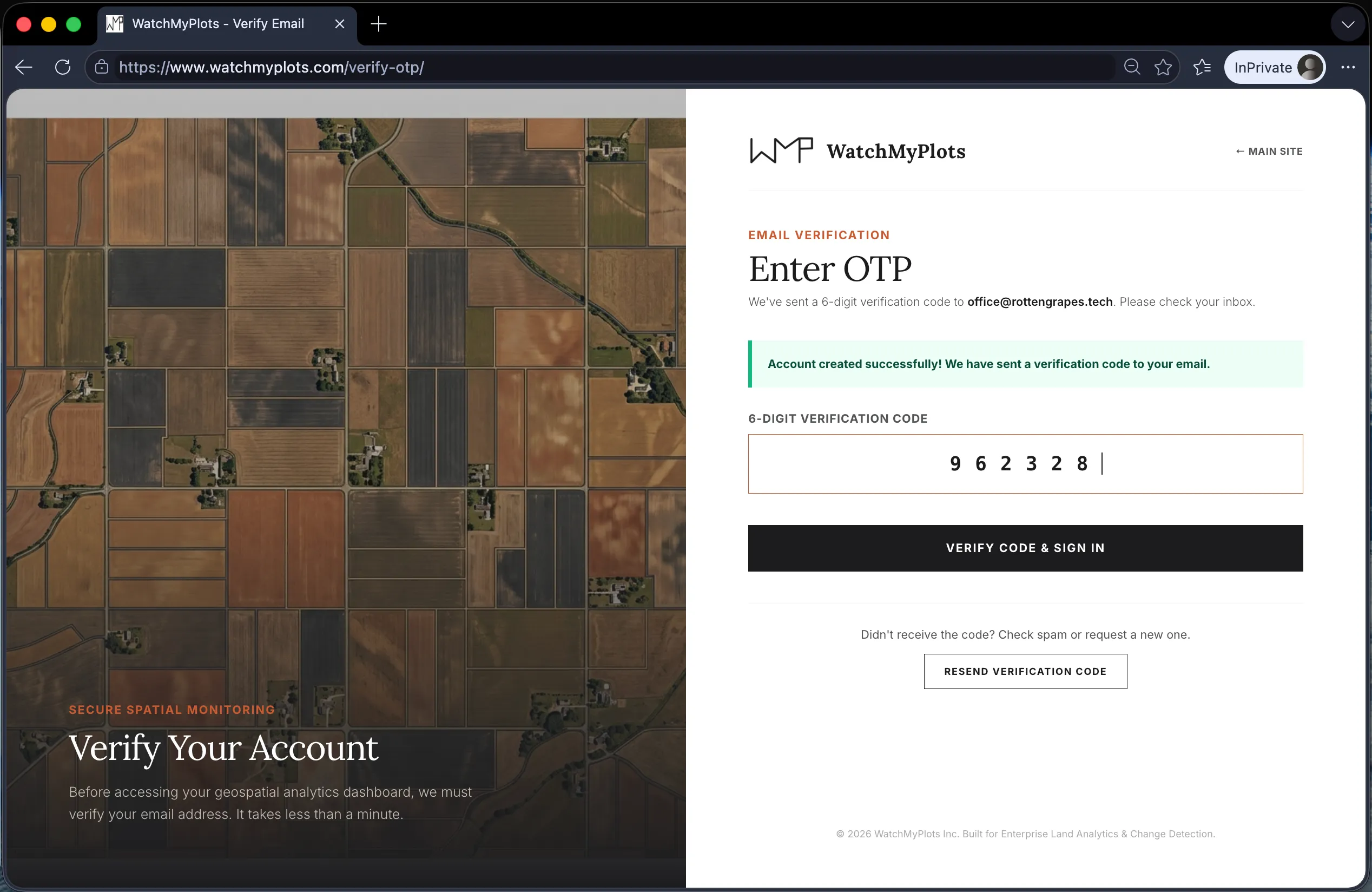
Verify Your Email (OTP)
For security, a One-Time Password (OTP) will be dispatched to your registered email address via Brevo mailer. Check your inbox, retrieve the numeric verification code, and enter it on the OTP page to unlock the dashboard.
Complete Profile & Invoicing Setup
Once inside the dashboard, select Edit Profile from the sidebar. Populate your company details, corporate website, invoicing email, and GST identification number to enable input tax credit calculations on payment receipts.